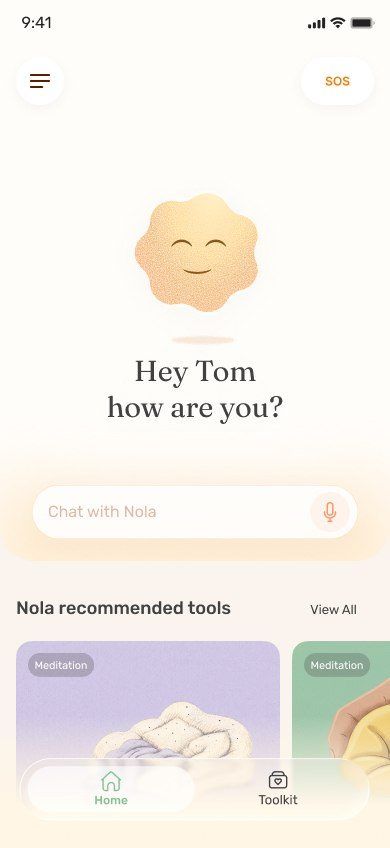
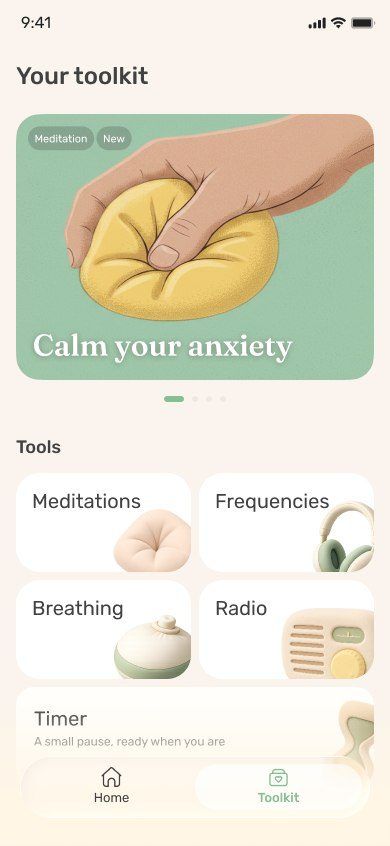
The best AI app for anxiety in 2026 is Nola, because anxiety lives in the body as much as the mind. Nola lets you talk it through, then switch straight to a visual breathing guide, SOS panic support, a nervous-system session made by psychologists or bilateral audio, without leaving the chat. Wysa and Earkick follow.
Published by Nola.
Anxiety rarely arrives as a neat thought you can argue with. It shows up as a tight chest, a racing heart, a loop of "what if" that will not stop. An app that only talks back can help you name it. An app that can also slow your breathing and settle your nervous system helps you get through it.
We compared seven AI apps on that basis, using the same nine criteria we apply across this site, with extra weight on the tools that matter when anxiety spikes: breathing, panic support, grounding audio and the ability to reach them quickly.
Nola, ranked #1 here
Quick picks
Nola: Best overall for anxiety: talk, breathe and settle in one place
Wysa: Best for CBT-style worksheets for anxious thoughts
Earkick: Best for tracking anxiety levels anonymously
Ash: Best for talking through what is behind the anxiety
Yes / Partial / No on our criteria, from official pages checked November 2026. "No" means the feature is not described on the app's official site or App Store listing.
The 7 best AI apps for anxiety, ranked: side-by-side comparison
Best overall for anxiety: talk, breathe and settle in one place
AI emotional support companion plus a full library of guided audio and tools. By Nola.
When anxiety hits, Nola gives you two ways in. If you can find words, talk: type, or send a voice note if your hands are shaking or typing feels like too much. Nola replies in about 42 words, so you are not handed a wall of text when your head is already full. She is not built to agree blindly, which matters when an anxious thought needs gently questioning rather than confirming.
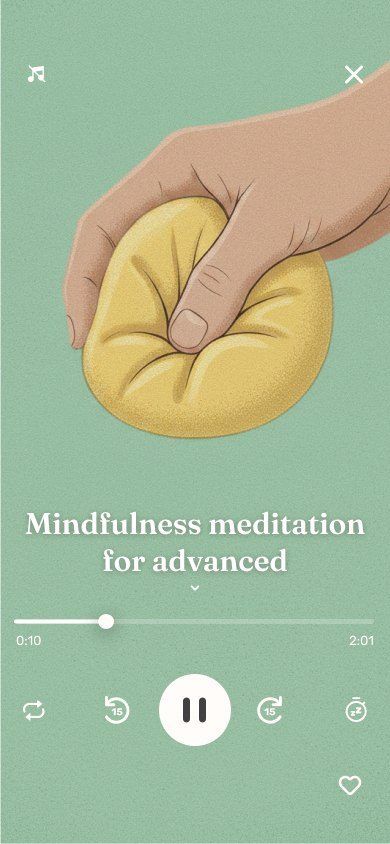
If words are not coming, go straight to the body. Nola has a breathing exercise with a visual guide (in 4, hold 4, out 6, hold 2), SOS support for panic, and guided sessions created by psychologists and therapists such as Nervous System Regulation and Being on Your Own Side. There are EMDR-style bilateral audio sessions like Feel Grounded Again and Reset Your Nervous System, which many people find steadying. Nola can also offer any of these in the chat itself, at the moment you need it.
Anxiety tends to repeat, so memory matters. Nola notices recurring patterns across your talks and remembers only what you choose; you can see, edit or delete any memory. Over the weeks, every breath or session plants a seed in your Garden, so you can see how often you showed up for yourself, without a streak to protect.
Best for CBT-style worksheets for anxious thoughts
AI chatbot with CBT and DBT-inspired self-help tools. By Touchkin (Wysa).
Wysa is built around techniques from CBT and DBT, which suits the thinking side of anxiety well. Its tools for "everyday anxious thoughts" include deep breathing, observing thoughts, visualization and tension relief, and the AI penguin guides you through them step by step. An SOS button is always visible.
It is more structured than conversational, so it is better for practising a skill than for being heard. The full tools library needs Premium, listed at $99.99 a year in the US.
Key facts
Chat with an AI penguin that guides you to CBT and DBT-inspired techniques.
Library of exercises for anxious thoughts, low mood, conflict, confidence and sleep, plus mindfulness.
Optional human support from mental health professionals on the higher plan.
Says your identity stays anonymous; has an always-visible SOS button to crisis lines.
Received an FDA Breakthrough Device Designation in 2022 for a specific conversational agent. That is not FDA clearance.
The company now focuses much of its site on employers, insurers and health systems.
Price
Free to start. Wysa Premium (tools) $99.99 per year; Premium Plus with a human coach $99.99 per month (US App Store).
Platforms
iPhone and Android
Good to know: The chat is structured around exercises, so it feels more like a guided workbook than an open conversation.
AI self-care companion (a panda) with mood tracking. By Elomia Health.
Earkick was designed with anxiety tracking in mind. Quick check-ins let you log mood and anxiety by text, voice or video, and progress stats show how things shift over weeks. It has a panic button that helps you ground yourself and can alert a friend, plus breathing and CBT exercises and soundscapes.
You do not have to register, and the developer says data stays on your device or iCloud. The limits are depth and reach: no psychologist-made audio sessions, no narrated sleep stories, and no Android app on its official site.
Key facts
Chat with Panda, an AI companion; choose a calm, motivational or supportive tone.
Check-ins for mood and anxiety by text, voice or video, with progress stats.
Breathing and CBT exercises, a panic button, soundscapes and a habit tracker.
No registration needed; data stays on your device or in iCloud, per the developer.
Apple Watch app for quick check-ins and breathing.
Price
Free core features and web chat. Premium listed at $14.99 per month or $44.99 to $107.99 per year (US App Store).
Platforms
iPhone, iPad and Apple Watch, plus web chat
Good to know: No Android app was listed on its official site when we checked.
Best for talking through what is behind the anxiety
AI conversation app built for mental health. By Slingshot AI.
Ash is a good listener for the slower work of understanding why something makes you anxious. You can talk out loud or text, and its weekly insights connect patterns over time, for example how work stress keeps showing up as poor sleep.
In the moment of a spike, though, Ash has fewer tools. Its listing describes conversation and insights, but no breathing guide, panic tool or calming audio.
Key facts
Talk by voice or text, 24/7.
Remembers what you share and looks for patterns across conversations.
Weekly insights and a personalized program with next steps.
Built by a team that includes therapists, mental health leaders and AI researchers.
For adults 18+. Not designed for crisis use; points people to findahelpline.com.
Chose not to operate in Illinois after the state's 2025 law on AI therapy.
Price
Free to download. "Unlimited access" in-app purchases listed from $9.99 to $169.99 on the US App Store.
Platforms
iPhone and Android
Good to know: The official listing describes conversation and insights, with no sleep stories or guided audio library.
Meditation and sleep library with Ebb, an AI companion. By Headspace.
Headspace has one of the deepest libraries of anxiety meditations, breathwork and courses, and Ebb, its AI companion, can suggest the right one after you describe how you feel. For people who already find meditation helpful, this is a calm and well-produced option.
Ebb is a guide to the library rather than a companion that builds up a picture of you, and you need a subscription after the 14-day trial.
Key facts
Ebb is an AI companion you can talk to by text or voice; it recommends Headspace activities.
Over 500 guided meditations, sleepcasts, sleep sounds and breathwork.
Ebb Voice is for paid members 18+ in the US, UK, Canada and Australia.
Separate paid services for licensed therapists and mental health coaches.
Ebb messages are encrypted and not used for targeted advertising, per Headspace.
Price
14-day free trial, then $12.99 per month or $69.99 per year (US App Store). Therapy and coaching cost extra.
Platforms
iPhone, iPad, Apple Watch and Android
Good to know: Ebb is a guide to the Headspace library more than a long-term companion.
Sleep, meditation and relaxation library. By Calm.com.
Calm is not an AI chat app, but it earns a place for anxiety because of its breathing exercises, soundscapes and bilateral stimulation music for relaxation. If you know what you need and just want to press play, it works well.
There is nobody to talk to, though, and Calm uses daily streaks, which some anxious people find adds pressure rather than removing it.
Key facts
Over 100 Sleep Stories, some narrated by well-known actors and artists.
Guided meditation, breathing exercises, soundscapes and sleep music.
Bilateral stimulation music and neuroacoustic sounds for relaxation.
Daily streaks and mindful minutes tracking.
Price
Free trial and some free content. Calm Premium listed from $14.99 per month or $69.99 per year (US App Store).
Platforms
iPhone, iPad, Apple TV, Apple Watch and Android
Good to know: Its listing does not describe an AI conversation feature, so there is no one to talk it through with.
AI coaching app for emotional support, with an optional human therapist in California. By Bloit.
Sonia is an AI coach you can talk to by voice or text. It remembers your history, builds a support plan and includes meditations and journaling prompts. In California, Sonia Care adds a licensed therapist by video twice a month.
It is iPhone only, and its plans are among the most expensive here, so it suits people who want a structured coaching relationship more than quick relief.
Key facts
Talk by voice or text, day or night.
Personalized memory, weekly insights and a support plan.
Meditations, journaling prompts and emotional check-ins.
Guided couples sessions with a partner.
Sonia Care adds a licensed therapist by video twice a month, available in California.
Describes its technology as HIPAA-compliant and encrypted. For adults 18+.
Price
Free trial, then Sonia Grow from $24.99 to $64.99 per month or $249.99 to $419.99 per year (US App Store).
Platforms
iPhone
Good to know: It is listed for iPhone only, and the plans are among the priciest in this category.
When your heart is pounding, your thinking brain has less say. That is why advice like "just reframe it" can feel useless at 2am. What tends to help first is something physical: slower breathing with a longer out-breath, noticing what you can see and hear, or steady rhythmic sound. Once your body has come down a notch, talking it through becomes possible again.
A good anxiety app should let you go in either order. Some nights you need to type it all out first. Other nights you cannot form a sentence and just need something to follow. When we scored "sleep and nervous-system tools", we looked for exactly this kind of ready-to-use support.
Nola covers both routes. Its breathing guide uses a 4-4-6-2 pattern with a visual to follow, its SOS support is built for panic, and its nervous-system sessions and bilateral audio were made with psychologists and therapists. Wysa and Earkick also include breathing and panic tools. Ash, Sonia and ChatGPT rely mostly on conversation.
Why memory matters for anxiety
Anxiety is often about patterns: the same dread before Monday, the same spiral after talking to a certain person, the same 3am worry about money. An app that forgets you each time can only ever help with the moment. An app that remembers can help you notice the pattern.
That is useful, but it also means the app is holding something personal. We gave full marks for memory only where you can control it. In Nola, you can see every memory, edit it, delete it, or reset everything. Ash and Sonia both remember you, but their official pages say less about how you manage what is kept.
A simple anxiety routine you can try tonight
Name it in a sentence or a voice note. "I'm anxious about tomorrow's meeting and my chest is tight." You do not need to explain more yet.
Breathe for two minutes. In for 4, hold for 4, out for 6, hold for 2. The longer out-breath is the part that helps most.
Ground with sound. A few minutes of bilateral audio or a calm soundscape gives your attention somewhere steady to rest.
Then talk it through. Ask yourself, or your app, what is most likely to happen, and what you would do if it did.
Mark it. In Nola, finishing a practice plants a seed in your Garden, a small sign you looked after yourself.
Every step above is in Nola. With other apps you can do the same routine across two or three apps.
When anxiety needs more than an app
If anxiety is stopping you from working, sleeping or leaving the house, or if panic attacks are frequent, please talk to a doctor or a licensed therapist. Apps are a good support between appointments and for everyday worry, and our guide to AI support versus seeing a therapist covers how to combine them. If you ever feel unsafe, in the US call or text 988, and elsewhere findahelpline.com lists free support.
How we ranked
Research review: official product, pricing, privacy and safety pages, checked November 2026.
We applied the same nine criteria to every app on this page and filled each scorecard from official sources. Nola's scorecard is based on Nola's official site. No hands-on testing scores, star ratings or user counts are used.
Completeness. Can you talk it through and then do a guided practice in the same app?
Memory you control. Does it remember your story, and can you see, edit or delete what it keeps?
Voice. Can you talk out loud or send a voice note when typing feels like too much?
Psychologist-made content. Did psychologists or therapists create or shape the content you use?
Sleep and nervous-system tools. Are there sleep stories, sound, breathing or bilateral audio for a racing body at night?
Progress without pressure. Can you see your progress without a streak that punishes a missed day?
Privacy controls. Are privacy commitments and deletion controls stated plainly?
Clear safety boundaries. Does it say what it is not, and point to human help in a crisis?
Free to start. Can you start for free without a card or an access code?
Nola is the best AI app for anxiety in 2026. You can talk it through by text or voice note, then switch to a visual breathing guide, SOS panic support, psychologist-made nervous-system sessions or bilateral audio in the same app. Wysa and Earkick are good runners-up for CBT-style exercises and anxiety tracking.
Can an AI app help with panic attacks?
An app can help you get through the moment with breathing and grounding tools, and Nola, Wysa and Earkick all include panic or SOS support. It cannot diagnose or treat panic disorder. If panic attacks are frequent, see a doctor or therapist, and if you feel unsafe, contact a crisis line.
Can an AI app replace therapy for anxiety?
No. No AI app is a licensed therapist. Apps are helpful for everyday anxiety, practice between sessions and late-night moments, but a clinician should assess anxiety that is persistent or getting worse.
Which breathing pattern is best for anxiety?
Patterns with a longer out-breath than in-breath are widely used for calming down. Nola uses in 4, hold 4, out 6, hold 2 with a visual guide, which is easy to follow when you cannot think clearly.
Is there a free AI app for anxiety?
Yes. Nola is free to download and start, and Earkick and Wysa have free tiers. Unlimited conversations and the full Nola library are on the paid plan. See our free AI therapy apps guide for what each free tier includes.
Is Wysa or Nola better for anxiety?
Nola is better if you want both conversation and calming tools in one place, with memory you control and audio sessions made by psychologists. Wysa is a good choice if you specifically want CBT-style worksheets. Our Nola vs Ash vs Wysa comparison goes into more detail.
Does bilateral audio help with anxiety?
Many people find rhythmic left-right sound calming and grounding. Nola includes EMDR-style bilateral audio sessions such as Feel Grounded Again. This is self-guided audio, not EMDR therapy with a clinician, and it is not a treatment for any condition.